Dear Shaun,
In open XML I can change the font shade color table cell color. it is ok for me
But how can I set the page background color from white to yellow? is there anyway.
Dear Shaun,
Waiting for your reply.
Thanks
Shafkat
Dear Shafkat,
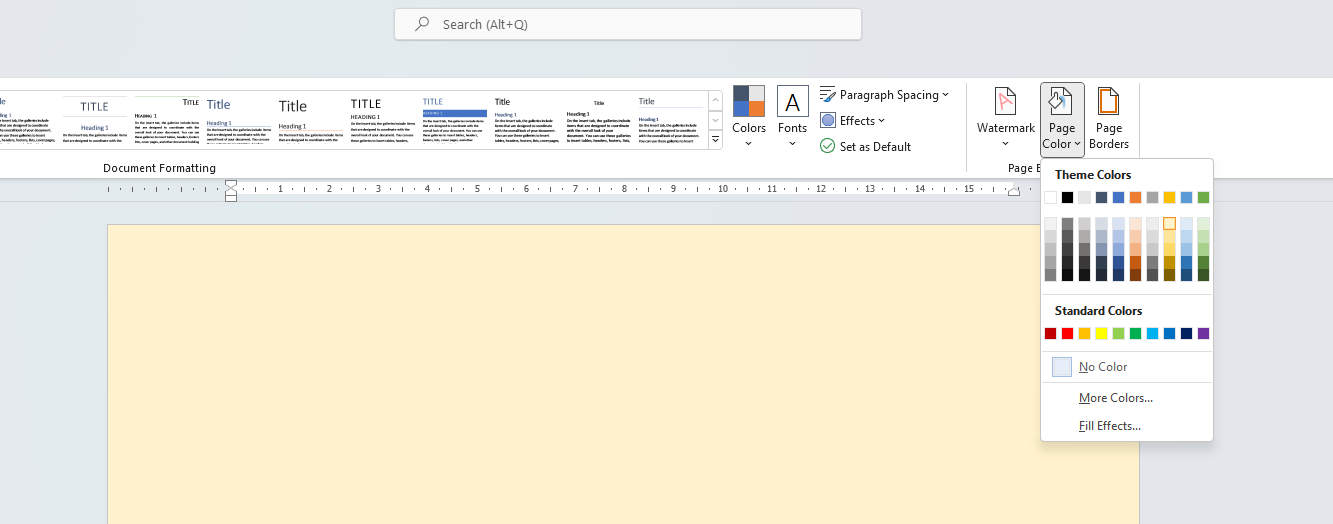
It appears this is possible in MS Word, which means it will be possible in Open XML. If I may suggest that you use a tool such as OOXML Tools (chrome extension) to view the underlying XML for a document to see how background property is set for MS Word.
Regards
Shaun
This is the XML for a really basic Word document with just the background colour set:
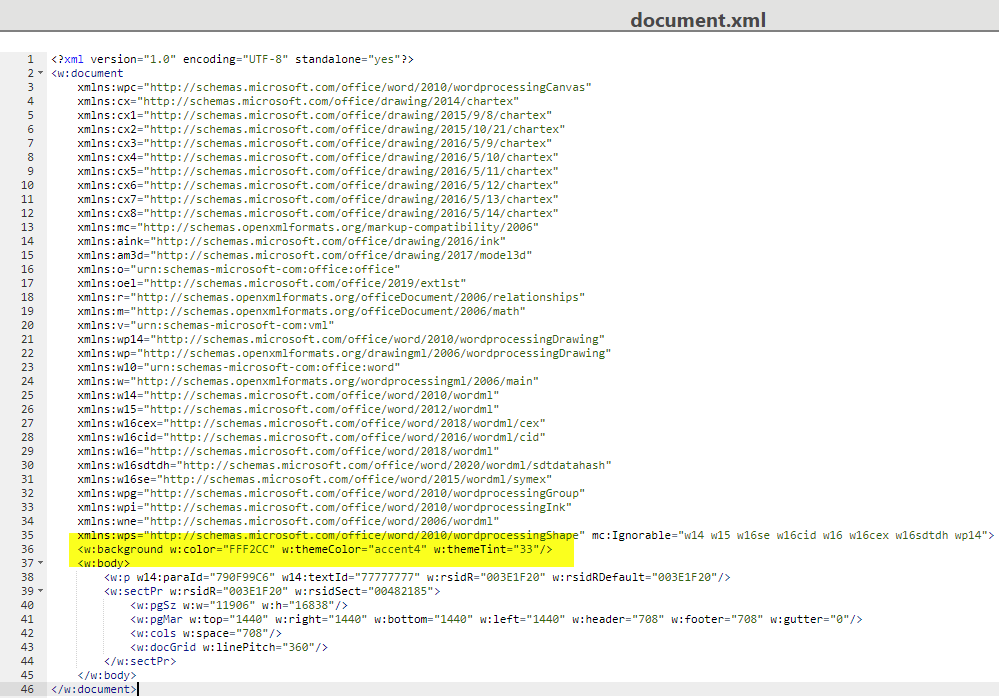
I have highlighted the XML used to store the background color for the document. This is the attribute you would need to set using Open XML
Dear Shaun,
Where I can find the document.xml? is this in the project folder?
Another question is why I am not posting or getting any requests from the postman.
But from swagger it is ok.
The screen shot I shared is using OOXML tools - a google extension. This will give you access to the underlying XML for a Word document.
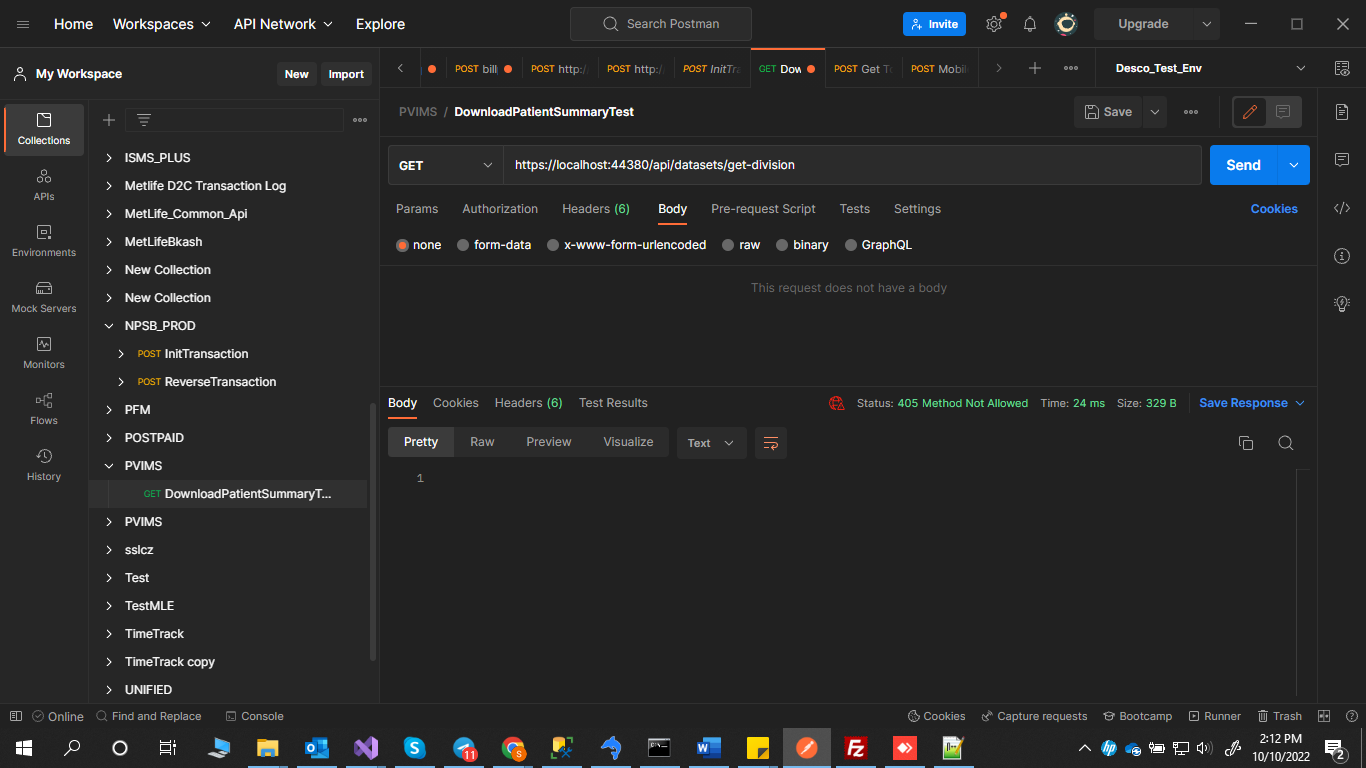
Regarding question 2, you are getting a 405 method not allowed error.
First, please ensure you include an accept header as part of your payload, something similar to this:

Second, are you definitely implementing the GET verb for this resource in the controller? Could you share the controller code here?
Dear Shaun,
The postman problem was resolved.
But unable to resolve the open XML problem and need to r&d or your help.
Should I download OOXML and make report again
Thanks
Shafkat
Hi Shafkat,
OOXML tools is just useful to view the underlying XML for a Word document. I already shared the appropriate attribute that would need to be added to the Word document through OpenXML to change the background color. The key is determining how to set that attribute.
Here is some more useful info on the attribute.
Office Open XML (OOXML) - Word Processing - Document
May I suggest you do a bit of R&D on setting this attribute?
Shaun
Here is the official class for referencing this attribute:
DocumentBackground Class (DocumentFormat.OpenXml.Wordprocessing) | Microsoft Learn
Dear Shaun,
When we create document we use
            //RunProperties runProperties = new RunProperties();


            //var shading = new Shading();
            //shading.Color = "auto";
            //shading.Fill = "00FF00";
            //shading.Val = ShadingPatternValues.Clear;
            //runProperties.Append(shading);
            //Run run = new Run();
            //run.Append(runProperties);
            //run.Append(new Text("My Text"));


            //Paragraph paragraph = new Paragraph(run);
            //body.AppendChild(paragraph);
This code just makes the text background color green. I need something like that to change the background color. I tried many areas but failed to change the background. Can you write the code for me and where to add it?
Thanks
Shafkat
Dear Shaun,
Is there any update about the background color yellow and yellow card header design?
Thanks
Shafkat
Dear Shafkat,
I am unable to look at this due to other PViMS priorities on my side. Please can you do some R&D on this on your side. I have shared several URL’s that should hopefully provide assistance.
Kind regards
Shaun
Dear Shaun,
we are stuck on the ADRM cell functionalities and unable to understand some functions, particularly the mediator mapper. can you have a quick look?
public async Task<ActionResult<LinkedCollectionResourceWrapperDto>> GetAnalysisReportInstancesByDetail(Guid workFlowGuid,
[FromQuery] ReportInstanceActivityResourceParameters reportInstanceResourceParameters)
{
if (!_propertyMappingService.ValidMappingExistsFor<ReportInstanceDetailDto, ReportInstance>
(reportInstanceResourceParameters.OrderBy))
{
return BadRequest();
}
        var query = new ReportInstancesAnalysisQuery(workFlowGuid, reportInstanceResourceParameters.QualifiedName, reportInstanceResourceParameters.PageNumber, reportInstanceResourceParameters.PageSize);

        _logger.LogInformation(
            "----- Sending query: ReportInstancesAnalysisQuery - {workFlowGuid}",
            workFlowGuid.ToString());

        **var queryResult = await _mediator.Send(query);**

        if (queryResult == null)
        {
            return BadRequest("Query not created");
        }
Thanks
Shafkat
Dear Shafkat,
We use the mediator pattern to reduce dependencies between objects. i.e., objects should communicate via mediator to prevent direct communication. We also implement CQRS to separate read (queries, read only) and write (commands, where data can be mutated) operations, allowing flexibility in how we read and update the database.
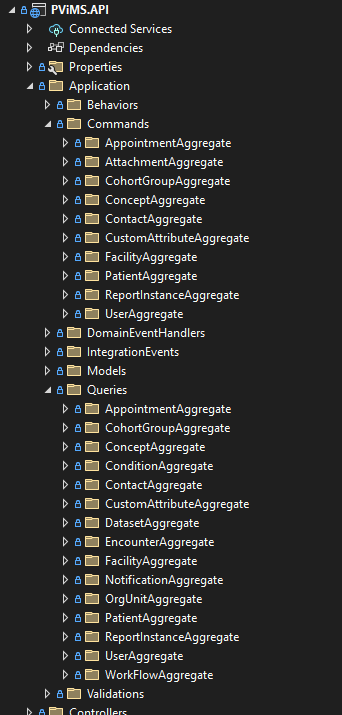
Handlers for corresponding queries and commands can be located in the API → Application → Commands or Queries folder. We use a lightweight ORM - Dapper - to implement read queries in the database.
Please let me know if this clarifies things.
Thanks
Shaun
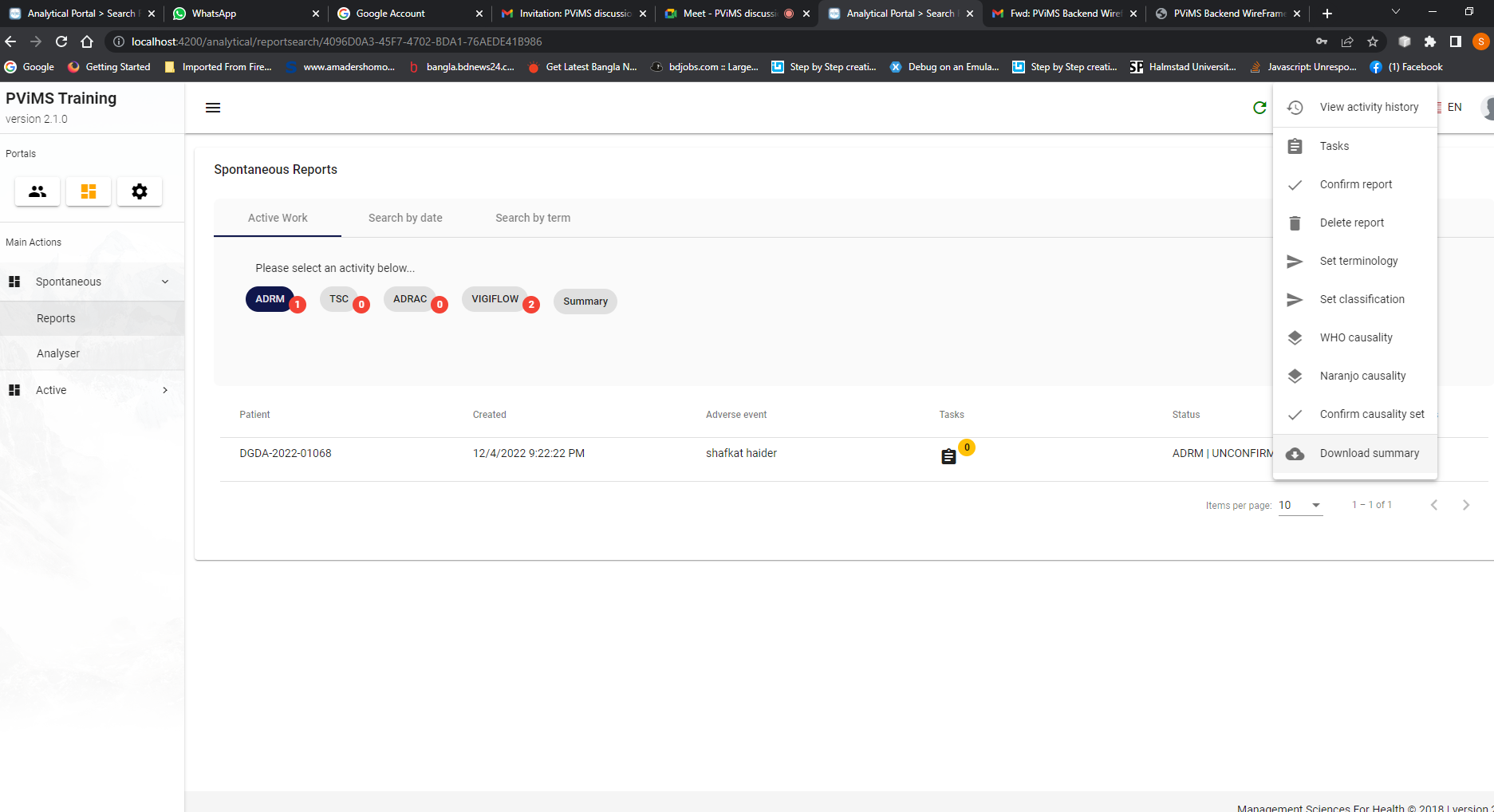
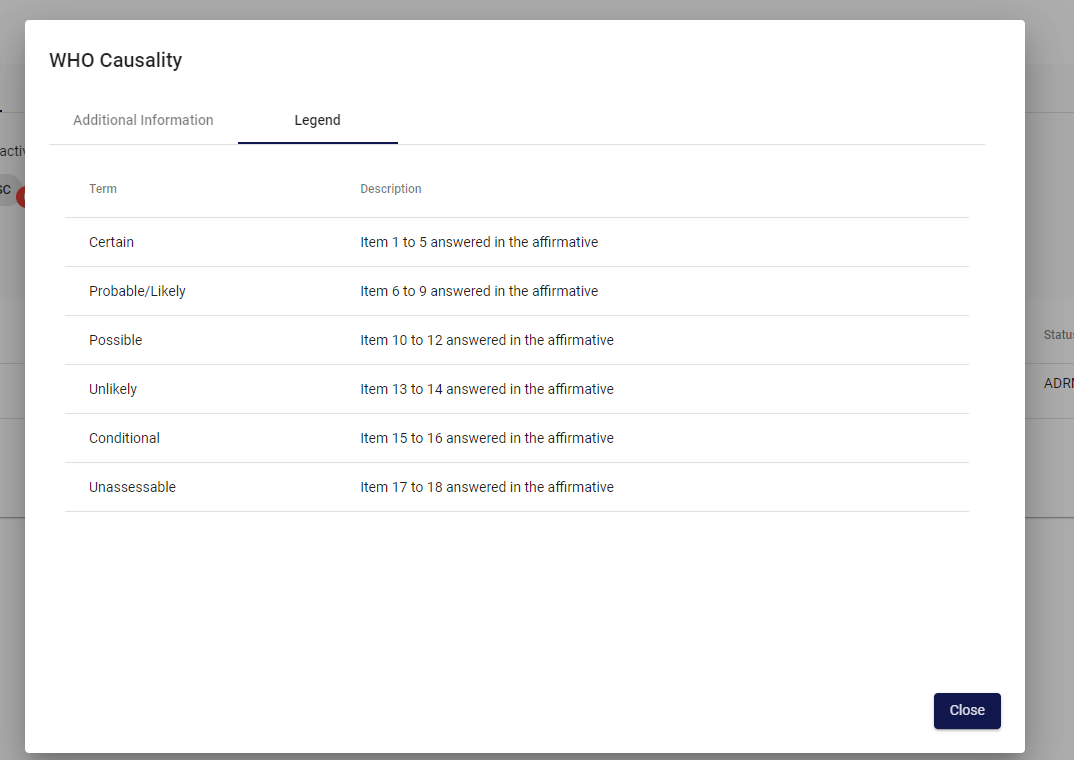
Dear Shaun, Greetings! We need your suggestions for the Non-serious case. When ADRM Cell clicks on the “Non-serious” dropdown or radio button then the next option should appear in the radio buttons/ dropdown with Certain, Probable, Possible, Usually, …
Hence, how should we address it by using the WHO Causality/ Naranjan Causality?
Thanks
Shafkat
Dear Shafkat,
Greetings to you too.
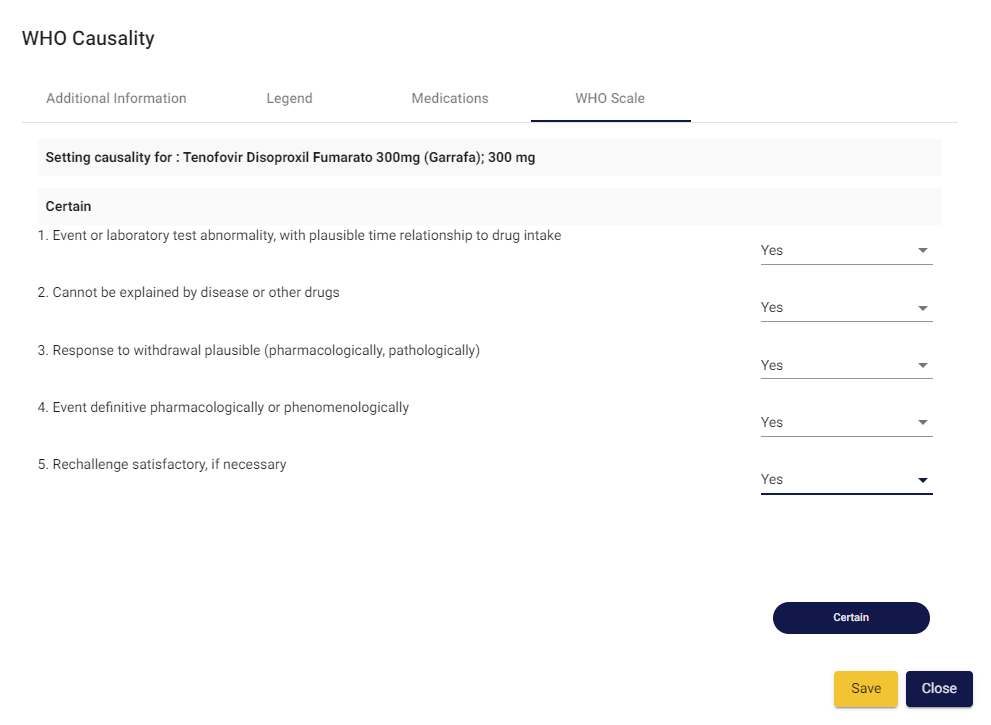
The main difference between the two approaches is that in PViMS the classification is calculated based on the questions answered. In the end though, both approaches result in a classification based on the WHO assessment (whether by answering each WHO causality question individually or by specifying the final classification in the drop-down list).
We have extensive plans to automate causality based on clinical data collection through active surveillance and asking WHO based causality questions form a part of that plan. From your perspective, it would be worthwhile ascertaining if there is any immediate benefit to including WHO causality questions.
I have pasted an example screen shot of the WHO causality scale in action:
Thanks, Shafkat
Shaun
Hi Shaun,
Thanks for the clarification. Lets have a detail discussion today. We made a good progress on ADRM Cell. 
Julhas